At the end of a long day, the last thing anyone wants to do is embark on the “grand tour” of their own house—walking from room to room, flipping off switches, checking locks, and adjusting the thermostat. This nightly chore is not just tedious; it’s a source of anxiety. It’s the “Did you remember to lock the front door?” or “Did you turn off the TV in the basement?” questions that can pop into your head just as you’re trying to fall asleep.
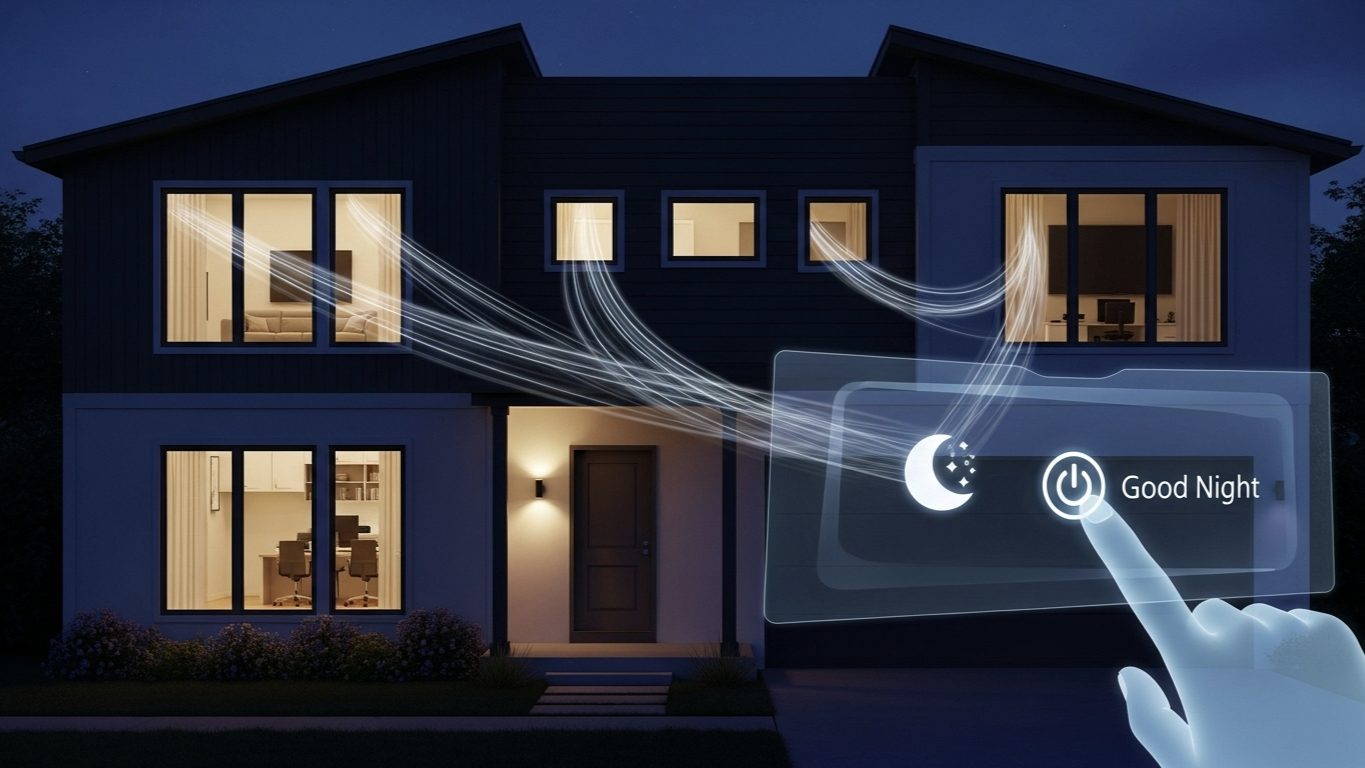
As a smart home professional, I believe that technology should serve us, and one of its most powerful services is providing peace of mind. That’s why the “Good Night” routine is one of the most important and satisfying automations I create for my clients. It’s more than just a convenience; it’s a digital lockdown procedure for your entire home, ensuring it is safe, secure, and energy-efficient, all activated by a single command.
Forget the nightly patrol. Let’s walk through the steps to build a comprehensive “Good Night” routine that puts your home—and your mind—to rest.
The Goal: A Digital Lockdown for Peace of Mind
Our objective is to create a single routine, triggered by a phrase like “Alexa, good night,” that systematically shuts down the house in a logical order. We will build this automation in layers, covering everything from lighting and entertainment to climate and, most importantly, security. You can implement all these steps or pick and choose the ones that apply to your home.
The Tools for the Job:
- A smart speaker or smart display (Amazon Echo or Google Nest)
- A variety of smart devices: bulbs, plugs, a thermostat, and locks.
- A smart home app to build the routine (Amazon Alexa or Google Home).
Building the Routine, Layer by Layer
Open your smart home app, navigate to the “Routines” section, and let’s create a new routine called “Good Night.” We’ll set the primary trigger as the voice command, “Good night.” Now, we’ll add the actions in a logical sequence.
Layer 1: Lighting Control – “Lights Out”
The Goal: To turn off all non-essential lights throughout the house, leaving only a gentle path to the bedroom.
The Automation Steps:
- Action 1 (All Off): The easiest way to do this is to create a “Light Group” in your app named “All House Lights” that contains every smart bulb except for your bedside lamp. Your first action will be to simply “Turn off the All House Lights” group.
- Action 2 (Pathway): If your hallway to the bedroom is dark, you can add an action to “Set Hallway Lights to 5% brightness.” Then, create a *separate* simple automation to turn the hallway lights off after 5 minutes. This gives you time to get into bed.
My Expert Take: Using groups makes managing the routine much easier. If you add a new smart bulb to your home later, you just need to add it to the “All House Lights” group, and it will automatically be included in your Good Night routine without you having to edit the routine itself.
Layer 2: Electronics & Entertainment – “Power Down”
The Goal: To shut down all the “energy vampires” and media devices that are often left on by mistake.
The Automation Steps:
- Action 3 (TVs): Add an action for every smart TV, Chromecast, or Fire TV Stick in your home to turn off. For example, “Turn off Living Room TV,” “Turn off Basement TV.”
- Action 4 (Smart Plugs): This is for all your non-essential electronics. I have smart plugs connected to my computer monitors, game consoles, and sound systems. Add an action to “Turn off the Game Console Plug,” “Turn off the Soundbar Plug,” etc. This not only ensures they’re off but also saves phantom power overnight.
My Expert Take: Be strategic with your smart plugs. You wouldn’t want to turn off the plug for your Wi-Fi router or a device that needs constant power. This layer is for entertainment and peripheral devices only.
Layer 3: Climate Control – “Settle In”
The Goal: To adjust your home’s temperature to a comfortable and energy-efficient level for sleeping.
The Automation Steps:
- Action 5 (Thermostat): If you have a smart thermostat (like a Nest, Ecobee, etc.), add an action to “Set the Thermostat to Sleep Mode” or “Set Thermostat to 68 degrees.” This is often a lower temperature than you’d use during the day, which can promote better sleep and save money on your energy bill.
Layer 4: Security Lockdown – “All Secure”
The Goal: This is the most critical layer. It ensures your home is physically secured for the night.
The Automation Steps:
- Action 6 (Doors): For every smart lock on your exterior doors, add an action to “Lock the Front Door,” “Lock the Back Door,” etc.
- Action 7 (Garage): If you have a smart garage door opener, add the action “Close the Garage Door.” This single step has saved my clients from accidentally leaving their garage open overnight more times than I can count.
- Action 8 (Security System – Pro Level): If you have a compatible security system (like Ring or SimpliSafe with Alexa, or ADT with Google Home), you can add an action to “Arm the Security System to Home Mode.” This activates your door/window sensors but leaves the interior motion sensors off, so you can move around freely inside.
My Expert Take: The ability to lock your doors, close your garage, and arm your security system without leaving your bed is arguably the single greatest “peace of mind” feature a smart home can provide.
Ending the Nightly “Who Left It On?” Argument
I worked with a family of four where bedtime was a point of contention. The parents would get into bed, only to start questioning each other: “Did you turn off the light in the playroom? I think I hear the TV on in the family room. Are you sure the back door is locked?” It was a nightly routine of second-guessing and frustration, often ending with one of them having to get up and walk through the whole house.
We implemented a comprehensive “Good Night” routine triggered by a single voice command to the Echo Dot on their nightstand. The routine systematically turned off 15 lights across three floors, shut down two TVs, locked both the front and back doors, confirmed the garage was closed, and set their Ring Alarm to “Home.”
The result was transformative. The nightly checklist and the arguments it caused were completely eliminated. They replaced a 10-minute, anxiety-ridden chore with a 5-second voice command. They told me that the absolute certainty that the house was secure and shut down led to better, more restful sleep for both of them. It solved a recurring family problem with pure, simple automation.
Layer 5: The Final Scene – “Set the Mood for Sleep”
The Goal: Your routine shouldn’t just plunge you into darkness. The final actions should set up your immediate environment for a peaceful night’s sleep.
The Automation Steps:
- Action 9 (Bedside Lamp): Add an action to “Set Bedside Lamp to 5% brightness” and a warm white color. This gives you just enough light to see as you get settled.
- Action 10 (Calming Sounds): Add an action for your bedroom smart speaker to “Play rain sounds” or “Play white noise” for a set duration (e.g., 60 minutes).
- Action 11 (Volume Control): This is a crucial pro-tip. Add an action to “Set volume on all speakers to 20%.” This prevents you or a family member from being blasted by a loud response if a speaker is accidentally triggered in the middle of the night.
- Action 12 (Final Confirmation): End the routine with a final response from your assistant, like “Everything is shut down and secure. Sleep well.”
Alternative Trigger: The Smart Button. For nights when a partner is already asleep and you don’t want to speak, a physical smart button (like a Flic button or an Echo Button) on your nightstand is the perfect silent trigger for this entire routine.
Conclusion: Your Digital End-of-Day Checklist
A “Good Night” routine is the epitome of a useful smart home automation. It’s practical, it saves energy, it enhances your home’s security, and it provides invaluable peace of mind. It takes the mental load of a dozen small tasks and consolidates them into one effortless moment.
By building this routine layer by layer, you can create a powerful system that is perfectly tailored to your home and your life. It’s one of the first automations I recommend to every client, and it consistently becomes the one they can’t imagine living without.