Clients often come to me with a goal of making their homes more convenient or secure. But one of the most satisfying “Aha!” moments I get to witness is when I show them how to uncover the hidden costs lurking in their electrical outlets. We’re talking about “vampire power” or “phantom load”—the electricity your devices consume even when they’re turned “off.”
Most people know this is happening, but they see it as an unsolvable mystery. How much is that old TV in the guest room really costing you? What about your complex home office setup? The answer, I tell them, is surprisingly simple and affordable: a smart plug with energy monitoring.
This isn’t just a theoretical exercise. I practice what I preach. In this article, I’m going to walk you through my exact process for using these small but mighty devices to conduct an “energy audit” on my own home. I’ll show you how to identify the worst offenders, understand the data, and, most importantly, use that knowledge to save real money.
Why Monitor? The Power of Knowing Your Numbers
Before we pick a device, let’s establish why this is one of the highest-return-on-investment activities you can do in your smart home. Monitoring energy consumption on a per-appliance basis gives you three powerful advantages:
- Find the “Energy Vampires”: You can pinpoint exactly which devices are drawing significant power while on standby. The results will often surprise you.
- Identify Faulty Appliances: Is your old refrigerator suddenly using way more power than it used to? A smart plug can be an early warning system that a component is failing, long before it breaks down completely. I’ve had clients save hundreds on potential food spoilage this way.
- Make Informed Decisions: When it’s time to upgrade an appliance, you can use your data to justify spending a bit more on a more energy-efficient model, knowing exactly what your payback period will be.
Choosing the Right Tool: Not All Smart Plugs Are Created Equal
This is the most critical step. If you walk into a store and grab any smart plug off the shelf, you might be disappointed. Many basic smart plugs only offer on/off control.
The one non-negotiable feature you need is: Energy Monitoring.
Here’s my expert checklist for selecting the right plug for the job:
- Verified Energy Monitoring: Look for this feature explicitly stated on the box or in the product description. Reputable brands like TP-Link Kasa, Wyze, and Eve Energy are well-known for this.
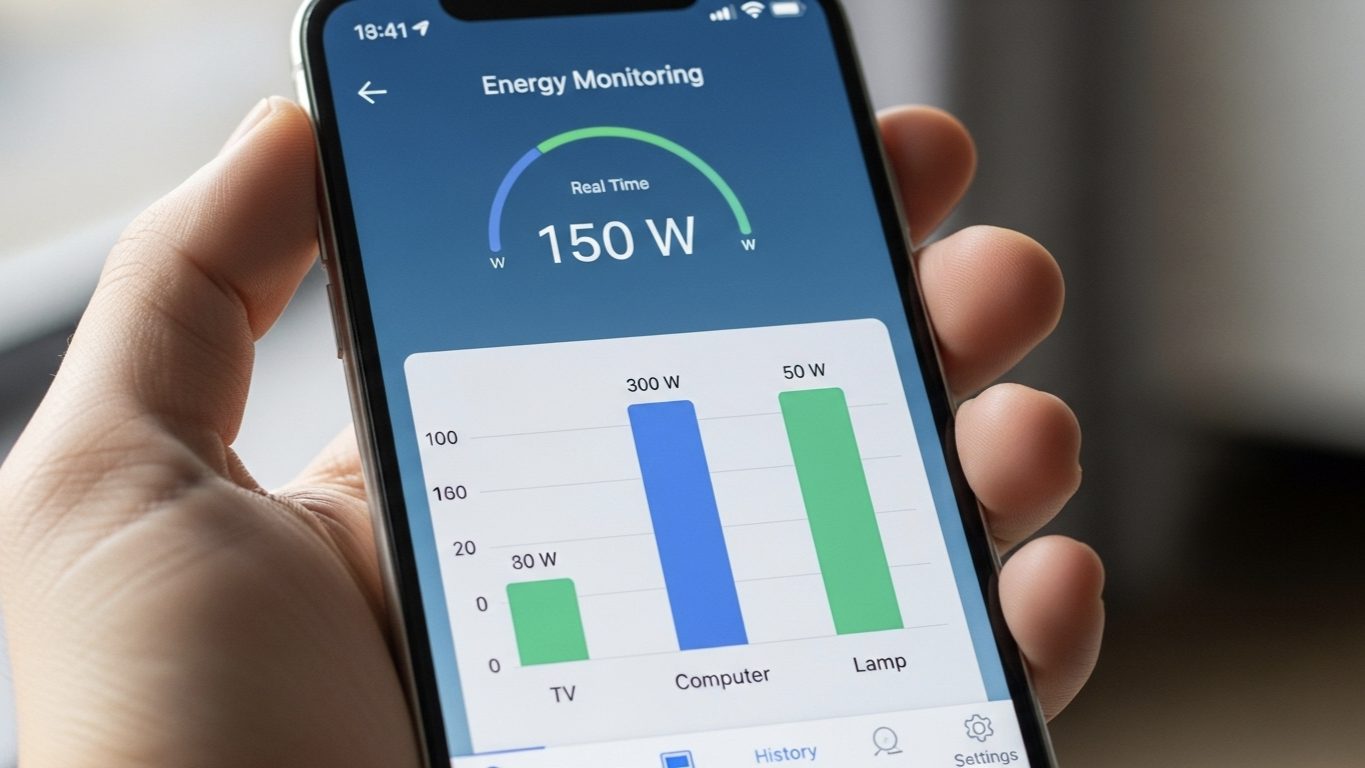
- A User-Friendly App: The app is where you’ll see the data. It should clearly show you current power draw (in Watts), daily/weekly/monthly consumption (in kWh), and runtime. Kasa’s app is particularly good at visualizing this data.
- Appropriate Max Load: Check the plug’s maximum power rating (usually in Watts or Amps). For general electronics like lamps and TVs, most plugs are fine. But for high-draw appliances like space heaters or portable air conditioners, you need a heavy-duty plug to avoid a fire hazard. Never use a standard 10A or 13A smart plug for an appliance that requires 15A or more.
- Form Factor: Choose a compact design that doesn’t block the second outlet. This is a common frustration I hear from clients who bought bulky first-generation plugs.
Hunting the Vampire in My Living Room
Let me tell you a real story from my own home. My entertainment center was my primary suspect. It had a 65″ TV, an Audio/Video (AV) receiver, a gaming console, and a subwoofer. Everything was “off” at the main power button or in standby mode.
The Investigation: I plugged my entire power strip for the entertainment center into a single Kasa Smart Plug (a heavy-duty model, KP115). I let it run for a full week to gather baseline data without changing any of my habits.
The Shocking Discovery: The data from the Kasa app was eye-opening. Even when everything was completely “off,” the collection of devices was drawing a consistent 38 Watts of standby power. That’s 38 watts, 24 hours a day, 7 days a week.
The Calculation:
38 W / 1000 = 0.038 kW
0.038 kW * 24 hours = 0.912 kWh per day
0.912 kWh * 365 days = 332.88 kWh per year!
At my local electricity rate of about $0.18/kWh, that single, “off” entertainment center was costing me roughly $60 a year. For doing absolutely nothing.
The Solution: This was an easy fix. I created a simple voice command: “Alexa, turn off the living room.” This routine now completely cuts power to the smart plug. I also set a schedule for it to automatically turn off at 2 AM every night and turn back on at 8 AM, ensuring it never wastes power while we sleep. The problem was solved, and the plug paid for itself in less than six months.
Your Step-by-Step Energy Audit Plan
Ready to start your own hunt? Here’s the simple 4-step plan I give my clients.
- Identify Your Suspects: Make a list of devices or areas you want to test. Good places to start include: home entertainment centers, home offices (computers, monitors, printers), kitchen countertop appliances (coffee maker, microwave), and any older device.
- Deploy and Monitor: Plug a smart plug into one suspect at a time. Leave it for at least 3-7 days to get a good average that accounts for both weekday and weekend usage. Resist the urge to draw conclusions from just one hour of data.
- Analyze the Data: Open the plug’s app and look at the numbers. Pay close attention to two things: the maximum power draw when the device is active, and the minimum power draw when it’s on standby. The standby number is your “vampire.”
- Act and Automate: Once you find a culprit, use the smart plug’s features to solve the problem. Create schedules to turn it off when not in use (e.g., your office setup at night) or group devices onto a smart power strip that can be shut down with a single command.
I Have the Data, But What Does It Mean?
A common point of confusion for my clients is context. They’ll see a device is using 12W on standby and ask, “Is that a lot?” It’s a great question. Here’s how I help them translate the data into meaningful information.
The Challenge: Raw data in Watts doesn’t immediately translate to dollars and cents. It’s hard to know what’s “good” or “bad.”
The Expert Solution: Establish Benchmarks. I provide my clients with a simple “Rule of Thumb” guide for standby power. You can use it too:
- Excellent (< 1W): Modern, energy-efficient devices. This is the goal. Most new phone chargers, laptops, and TVs fall in this range.
- Acceptable (1-5W): Common for many devices. Not a crisis, but could be improved with automation.
- Poor (5-15W): This is a clear energy vampire. This is often older TVs, game consoles in “instant-on” mode, or cable boxes. Action is highly recommended.
- Terrible (> 15W): This is a major problem. This is usually a collection of devices on one power strip or a single, very inefficient older device (like my entertainment center). This should be your top priority to fix.
By comparing their findings to this list, they can instantly prioritize which areas to tackle first, turning confusing data into a clear action plan.
My Final Verdict: The Smartest
Purchase You Can Make
I deal with complex, expensive smart home systems every day, but I still believe that a simple, $20 energy-monitoring smart plug offers one of the best returns on investment in the entire IoT world. It’s not just a gadget; it’s a diagnostic tool.
It empowers you with knowledge, giving you direct insight into how your home operates and where your money is going. By investing a small amount of time to conduct your own energy audit, you can move from being a passive bill-payer to an active, informed manager of your home’s energy consumption. In my experience, that control is priceless.