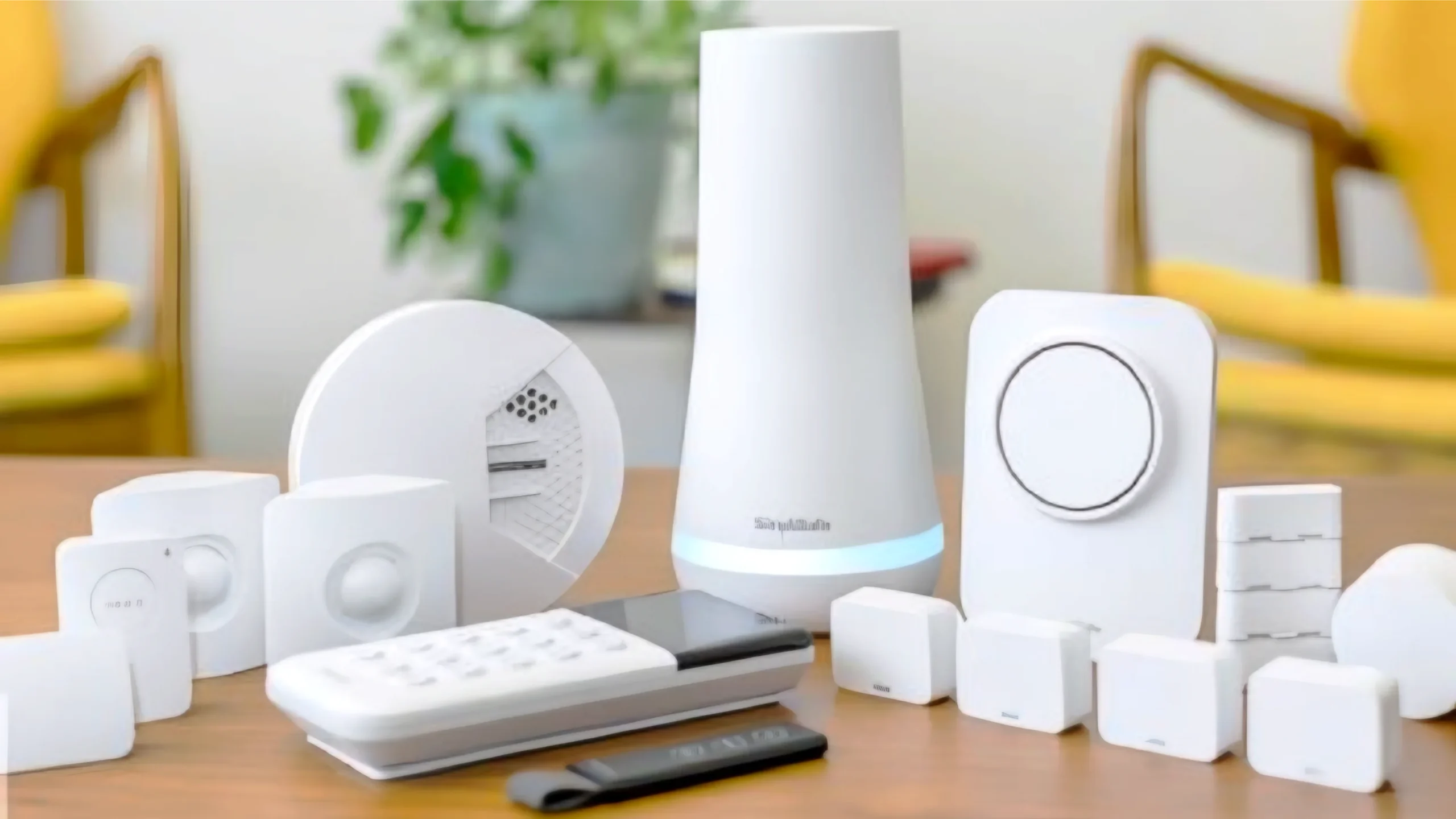
The best smart home devices under $100 include smart speakers, smart bulbs, smart plugs, security cameras, and video doorbells. These devices are affordable, easy to set up, and provide real value by improving convenience, automation, and home security without requiring a large investment.
Building a smart home doesn’t have to be expensive.
That’s where most people get it wrong.
They assume you need hundreds—or thousands—of dollars to get started. So they either delay it… or never start at all.
The reality is much simpler.
You can build a powerful smart home setup with devices under $100—and still get automation, voice control, and security.
I’ve tested budget setups where just a smart plug and speaker completely changed daily routines. The key isn’t spending more—it’s choosing devices that actually deliver value.
This guide covers 10 smart home devices under $100 that are truly worth it—no gimmicks, no wasted money.
Let’s start with a quick overview.
What Are the Best Smart Home Devices Under $100? (Quick Answer)
If you’re looking for affordable smart home upgrades, these are the best types of devices you can buy under $100:
- Smart Speakers: Control your entire home with voice commands
- Smart Bulbs: Instantly automate lighting
- Smart Plugs: Turn any device into a smart device
- Indoor Security Cameras: Monitor your home remotely
- Video Doorbells: See and talk to visitors
- Smart Light Strips: Add ambient lighting to any room
- Motion Sensors: Trigger automation automatically
- Smart Power Strips: Control multiple devices at once
- Budget Smart Thermostats: Improve comfort and save energy
- Smart Buttons or Remotes: Quick control without apps
These devices cover everything you need for a functional smart home:
- Control → Smart speakers
- Automation → Lights, plugs, sensors
- Security → Cameras and doorbells
- Comfort → Thermostats
You don’t need to spend more to get real value.
Next, let’s look at how to choose the right devices without wasting money.
How to Choose Smart Home Devices on a Budget
Buying smart home devices under $100 sounds easy—but choosing the right ones is where most people go wrong.
Cheap doesn’t always mean good value.
Here’s how to make smart choices without wasting money.
1. Focus on Value, Not Just Price
A $20 device that you use every day is more valuable than a $50 device you rarely touch.
Ask yourself:
- Will I use this daily?
- Does it solve a real problem?
Devices like smart lights and plugs usually offer the best value for beginners.
2. Choose the Right Ecosystem
Your devices need to work together.
- Amazon Alexa → best compatibility
- Google Home → best voice control
- Apple HomeKit → best privacy
Tip: Stick to one ecosystem to avoid setup issues.
3. Avoid Unknown or Unreliable Brands
Budget devices are great—but extremely cheap, unknown brands can cause problems.
- Poor app support
- Frequent disconnections
- Limited updates
Tip: Choose well-reviewed brands, even in the budget range.
4. Check Compatibility Before Buying
Not every device works with every system.
This is especially important if you’re using Apple HomeKit.
Tip: Always check if the device supports Alexa, Google, or HomeKit.
5. Start Small and Expand
You don’t need all 10 devices at once.
Start with:
- A smart speaker
- One or two smart lights or plugs
Then expand as you get comfortable.
6. Prioritize Easy Setup
Beginner-friendly devices should take minutes—not hours—to install.
If setup feels complicated, it’s not worth it.
Bottom line: The best budget smart home isn’t the cheapest—it’s the one that works reliably and fits your daily routine.
Now let’s break down the 10 best smart home devices under $100—and why each one is worth it.
1. Smart Speaker (Best Overall Starter Device)
0
If you’re buying your first smart home device, this is it.
A smart speaker is the foundation of your entire setup.
It connects your devices and lets you control everything using voice commands or your phone.
What It Does
- Controls lights, plugs, and other smart devices
- Runs routines and automation
- Responds to voice commands
- Plays music, news, and more
Popular options under $100 include Amazon Echo devices and Google Nest speakers.
Why It’s Worth It
This is the one device that makes everything else feel “smart.”
Without it, you’re stuck using separate apps. With it, everything works together.
For example:
- “Turn off all lights”
- “Start my morning routine”
- “Play music in the living room”
One command can control your entire home.
Real-Life Example
You’re going to bed and simply say:
“Good night.”
Lights turn off. Devices shut down. Everything happens instantly.
Best For
- Beginners starting a smart home
- Voice control and automation
- Connecting multiple devices together
Bottom line: This is the best value smart home device under $100—and the first one you should buy.
Next, let’s look at the fastest upgrade you can make—smart bulbs.
2. Smart Bulbs (Best for Instant Upgrade)
0
If you want the fastest and most noticeable smart home upgrade, smart bulbs are the way to go.
You can install one in minutes—and instantly change how your home feels.
What They Do
- Turn lights on/off with your phone or voice
- Adjust brightness and color
- Automate lighting schedules
- Create scenes and moods
No rewiring. No complicated setup.
Why They’re Worth It
Lighting is something you use every day. Automating it gives immediate value.
For example:
- Lights turn on when you get home
- Dim automatically at night
- Turn off everything with one command
Small change. Big impact.
Real-Life Example
You walk into your home after work, and your lights turn on automatically.
Or you say:
“Turn off all lights.”
And your entire home shuts down instantly.
Best For
- Beginners who want instant results
- Improving home ambience
- Simple automation setups
Budget Tip
You can find reliable smart bulbs under $20, making them one of the most affordable smart upgrades.
Bottom line: If you want immediate results without complexity, smart bulbs deliver the best value under $100.
Next, let’s look at one of the most underrated devices—smart plugs.
3. Smart Plugs (Best Budget Hack)
0
Smart plugs are one of the most affordable—and underrated—smart home devices you can buy.
They turn almost any regular device into a smart device instantly.
What They Do
- Turn devices on/off remotely
- Enable voice control for non-smart devices
- Create schedules and automation
- Control power usage
You simply plug them into a wall outlet, then plug your device into the smart plug.
Why They’re Worth It
You don’t need to replace your existing devices.
Smart plugs upgrade what you already own.
For example:
- Turn a regular lamp into a smart light
- Schedule your coffee maker to start in the morning
- Automatically turn off devices at night
This makes them one of the most flexible smart home tools under $100.
Real-Life Example
You wake up, and your coffee machine starts automatically.
At night, your lamp turns off without you getting out of bed.
All controlled through one simple plug.
Best For
- Budget-friendly smart home upgrades
- Automating everyday devices
- Beginners who want easy setup
Budget Tip
You can find reliable smart plugs for under $15, making them one of the cheapest smart home devices available.
Bottom line: Smart plugs offer the highest value for the lowest cost—making them a must-have for any budget setup.
Next, let’s look at a device that adds real security to your home—indoor cameras.
4. Indoor Security Camera (Best for Safety)
0
An indoor security camera is one of the most valuable smart home devices you can buy under $100.
It gives you real-time visibility into your home—no matter where you are.
What It Does
- Streams live video to your phone
- Sends motion detection alerts
- Records video clips
- Offers night vision for low-light monitoring
You can check your home anytime, from anywhere.
Why It’s Worth It
This isn’t just about technology—it’s about peace of mind.
For example:
- Check in while you’re at work
- Monitor pets or kids
- Get alerts if unexpected motion is detected
Even a single camera adds a strong layer of awareness.
Real-Life Example
You’re away from home and get a notification on your phone.
You open the app and instantly see what’s happening inside your home.
No guessing. No waiting.
Best For
- Basic home security
- Monitoring pets or family members
- Remote home visibility
Budget Tip
Many reliable indoor cameras are available between $30–$80, making them an affordable security upgrade.
Bottom line: If you want to add security without spending a lot, an indoor camera is one of the best investments under $100.
Next, let’s look at another powerful security device—video doorbells.
5. Video Doorbell (Entry-Level Security Upgrade)
0
A video doorbell is one of the most useful smart home upgrades you can make—especially for security and convenience.
It lets you see, hear, and talk to anyone at your door, even when you’re not home.
What It Does
- Shows live video of your front door
- Sends alerts when someone rings or approaches
- Lets you talk to visitors through your phone
- Records activity for later viewing
You always know who’s at your door.
Why It’s Worth It
This device adds both awareness and control.
For example:
- See deliveries in real time
- Talk to visitors remotely
- Monitor unexpected activity
It’s one of the easiest ways to upgrade home security.
Real-Life Example
You’re at work and someone rings your doorbell.
You get a notification, open the app, and talk to them instantly.
No need to be home.
Best For
- Front door security
- Package monitoring
- Remote communication with visitors
Budget Tip
Entry-level video doorbells are available under $100, especially during sales.
Bottom line: A video doorbell is one of the most practical smart security devices you can buy on a budget.
Next, let’s look at a fun but powerful upgrade—smart light strips.
6. Smart Light Strip (Best for Ambience)
0
Smart light strips are one of the most fun and visually impactful smart home devices you can buy under $100.
They’re designed to enhance the look and feel of your space—not just functionality.
What They Do
- Add color-changing lighting to any room
- Sync with apps or voice assistants
- Create lighting scenes and effects
- Enhance mood and atmosphere
You can install them almost anywhere—no tools required.
Why They’re Worth It
Unlike regular lighting, light strips are about experience.
For example:
- Add soft lighting behind your TV
- Create a relaxing bedroom atmosphere
- Upgrade your desk or gaming setup
They make your home feel modern and personalized.
Real-Life Example
You’re watching a movie, and your lights dim while a soft glow appears behind your TV.
Or your room shifts to warm colors at night for a relaxing vibe.
All controlled from your phone or voice.
Best For
- Bedroom or living room setups
- Ambient lighting
- Modern home aesthetics
Budget Tip
Good quality smart light strips are widely available under $50, making them an affordable upgrade.
Bottom line: If you want to improve how your home feels—not just how it works—this is one of the best budget upgrades.
Next, let’s look at a device that powers automation—motion sensors.
7. Motion Sensors (Automation Trigger)
0
Motion sensors are one of the most powerful smart home devices—but many beginners overlook them.
They don’t just control devices—they trigger automation automatically.
What They Do
- Detect movement in a room
- Trigger actions like turning lights on/off
- Work with routines and automation systems
- Send alerts when motion is detected
They act as the “eyes” of your smart home.
Why They’re Worth It
Instead of manually controlling devices, your home reacts to you.
For example:
- Lights turn on when you enter a room
- Lights turn off when no one is there
- Get alerts if motion is detected while you’re away
This is where your home starts to feel truly “smart.”
Real-Life Example
You walk into your hallway at night, and the lights turn on automatically.
No switches. No voice commands.
It just works.
Best For
- Hands-free automation
- Lighting control in hallways or bathrooms
- Basic home security alerts
Budget Tip
Most motion sensors cost between $15–$40, making them a low-cost but high-impact addition.
Bottom line: Motion sensors unlock true automation—making your home respond automatically instead of waiting for commands.
Next, let’s look at a device that controls multiple devices at once—smart power strips.
8. Smart Power Strip (Multi-Device Control)
0
A smart power strip is like a smart plug—but more powerful.
Instead of controlling one device, it lets you control multiple devices at once.
What It Does
- Controls multiple outlets individually
- Turns several devices on/off remotely
- Supports scheduling and automation
- Protects devices with surge protection
It’s perfect for areas with multiple electronics.
Why It’s Worth It
This device simplifies control for entire setups.
For example:
- Turn off your entire entertainment system with one command
- Control your desk setup (monitor, lamp, charger)
- Schedule devices to power down automatically
Instead of managing devices individually, you control them together.
Real-Life Example
You leave your house and say:
“Turn off everything.”
Your TV, gaming console, and accessories all shut down at once.
Best For
- Home office setups
- Entertainment systems
- Managing multiple devices in one place
Budget Tip
Most smart power strips cost between $25–$60, offering great value for controlling multiple devices.
Bottom line: If you have multiple devices in one area, a smart power strip gives you more control with less effort.
Next, let’s look at a surprising budget option—smart thermostats under $100.
9. Budget Smart Thermostat (Comfort on a Budget)
0
Smart thermostats are usually seen as expensive—but there are budget-friendly options under $100 that still deliver real value.
They may not have advanced features, but they cover the basics well.
What It Does
- Controls your home’s heating and cooling remotely
- Lets you adjust temperature from your phone
- Supports basic scheduling
- Helps reduce energy usage
It gives you control without constant manual adjustments.
Why It’s Worth It
Heating and cooling are one of the biggest energy costs in any home.
Even a basic smart thermostat can help reduce waste.
For example:
- Lower temperature when you’re away
- Warm up your home before you return
- Set automatic schedules for day and night
This improves comfort while saving energy.
Real-Life Example
You leave home and forget to adjust the temperature.
Instead of wasting energy, you open your app and fix it instantly.
No need to be there.
Best For
- Basic climate control automation
- Energy savings on a budget
- Small homes or apartments
Important Note
Not all homes support smart thermostats, especially older systems.
Tip: Check compatibility before buying.
Budget Tip
Entry-level models are available under $100, especially during discounts.
Bottom line: Even on a budget, a smart thermostat can improve comfort and reduce energy waste.
Finally, let’s look at a small but useful device—smart buttons and remotes.
10. Smart Buttons / Remotes (Quick Control Shortcut)
0
Smart buttons and remotes are small devices—but they can make your smart home much easier to use.
Instead of using apps or voice commands, you can control everything with a single press.
What They Do
- Trigger routines instantly
- Control multiple devices with one button
- Act as a shortcut for common actions
- Work without needing your phone
Think of them as physical shortcuts for your smart home.
Why They’re Worth It
Voice control and apps are great—but sometimes you just want something faster.
Smart buttons simplify everything.
For example:
- Press one button to turn off all lights
- Activate “movie mode” instantly
- Trigger a night routine without speaking
It’s fast, simple, and reliable.
Real-Life Example
You place a smart button next to your bed.
One press—and your lights turn off, devices shut down, and your home switches to night mode.
No app. No voice command.
Best For
- Quick access to routines
- Users who prefer physical controls
- Simple smart home setups
Budget Tip
Most smart buttons cost between $15–$40, making them an affordable addition.
Bottom line: Smart buttons add convenience by giving you instant control—without needing your phone or voice assistant.
Now that you’ve seen all 10 devices, let’s look at how to combine them into a powerful budget setup.
Best Budget Smart Home Setup (Under $200 Example)
You don’t need all 10 devices to build a smart home.
In fact, you can create a powerful setup with just a few key devices—and stay under $200.
Simple Starter Setup
- Smart speaker → $40
- 2 smart bulbs → $30
- 2 smart plugs → $25
- Indoor camera → $50
Total: Around $150
This setup gives you control, automation, and basic security.
What This Setup Can Do
- Control lights and devices with voice commands
- Automate lighting schedules
- Monitor your home remotely
- Create simple routines (morning, night, away)
It’s simple—but powerful.
Real-Life Example
You wake up, and your lights turn on automatically.
Your coffee machine starts through a smart plug.
Before leaving, you say:
“I’m leaving.”
Lights turn off, devices shut down, and your camera activates.
All with one command.
Why This Works
This setup focuses on high-impact devices—not unnecessary extras.
It covers:
- Control → Smart speaker
- Automation → Lights + plugs
- Security → Camera
You can always expand later with sensors, doorbells, or thermostats.
Bottom line: You don’t need a big budget to build a smart home—you just need the right combination of devices.
Before you buy, though, let’s answer an important question—are cheap smart home devices actually worth it?
Are Cheap Smart Home Devices Worth It?
Short answer: yes—but only if you choose the right ones.
Not all budget smart home devices are the same. Some offer incredible value, while others can cause frustration.
When Cheap Devices Are Worth It
Budget smart devices work well when they focus on simple, reliable functions.
- Smart bulbs → easy and dependable
- Smart plugs → simple automation
- Smart speakers → strong ecosystem support
These devices don’t need advanced features to deliver value.
When Cheap Devices Can Be a Problem
Some low-cost devices cut corners in ways that affect performance.
- Unstable connections
- Poor app experience
- Lack of updates or support
This is more common with unknown or unverified brands.
How to Choose Smartly
To get the best value from budget devices:
- Stick to well-reviewed brands
- Check compatibility with your ecosystem
- Avoid deals that seem too cheap to be true
Real-World Insight
In most cases, spending $10–$20 more on a reliable device saves you time and frustration later.
Cheap shouldn’t mean unreliable—it should mean efficient.
Bottom Line
Budget smart home devices are absolutely worth it—if you focus on reliability and real use cases instead of just price.
Now let’s look at a few common mistakes to avoid when buying budget smart devices.
Common Mistakes When Buying Budget Smart Devices
Buying smart home devices under $100 is a great way to start—but making the wrong choices can quickly lead to frustration.
Here are the most common mistakes beginners make—and how to avoid them.
1. Choosing Price Over Quality
The cheapest option isn’t always the best.
- Low-quality apps
- Frequent disconnections
- Short product lifespan
Fix: Choose well-reviewed devices—even if they cost slightly more.
2. Ignoring Ecosystem Compatibility
Not all devices work with every platform.
This is especially important if you’re using Alexa, Google Home, or Apple HomeKit.
Fix: Always check compatibility before buying.
3. Buying Too Many Devices at Once
Trying to build a full smart home immediately can lead to confusion.
Fix: Start with 2–3 devices and expand gradually.
4. Overlooking Wi-Fi Strength
Your smart home is only as strong as your internet connection.
- Weak signal = slow response
- Devices disconnect frequently
- Automation becomes unreliable
Fix: Ensure strong Wi-Fi coverage in every room.
5. Expecting Premium Features at Budget Prices
Budget devices are great—but they have limits.
You may not get:
- Advanced AI features
- Deep customization
- Premium build quality
Fix: Focus on core functionality—not advanced features.
6. Skipping Setup and Testing
Some users install devices but don’t fully test them.
Fix:
- Test voice commands
- Check automation routines
- Confirm device reliability
Avoiding these mistakes will save you time, money, and frustration.
Now, let’s wrap up with answers to the most common questions.
Frequently Asked Questions
Are smart home devices under $100 reliable?
Yes, many smart home devices under $100 are reliable if you choose trusted brands and focus on essential features like lighting, plugs, and speakers.
What is the best smart home device under $50?
Smart plugs and smart bulbs are among the best options under $50 because they are affordable, easy to use, and highly practical.
Can I build a smart home on a budget?
Yes, you can build a smart home for under $200 by starting with a smart speaker, lights, and plugs, then expanding gradually.
Do cheap smart devices work with Alexa and Google?
Most budget smart devices support Alexa and Google Assistant, but you should always check compatibility before buying.
What should I buy first for a budget smart home?
A smart speaker is the best starting point because it connects and controls all other smart devices.