In the world of smart homes, it’s the flashy devices that get all the attention—the vibrant smart lights, the talking speakers, the high-resolution video doorbells. But as a professional who designs and installs these systems for a living, I can tell you a secret: the real magic, the intelligence that elevates a home from simply “connected” to truly “smart,” comes from small, often-overlooked devices. It comes from sensors.
Among these, the humble motion sensor is the most crucial. It provides the “eyes” for your smart home, allowing it to understand when and where you are, and to react automatically to your presence. For years, the market was filled with slow, battery-hungry, and inflexible options. Then came the Aqara Motion Sensor P1, a device that has generated a massive amount of buzz among smart home enthusiasts and professionals alike. But does it live up to the hype?
I’ve purchased, installed, and pressure-tested dozens of these P1 sensors in both my own home and in complex client setups. This is my in-depth, hands-on review to determine if the Aqara P1 is truly the best motion sensor you can buy today.
What is the Aqara Motion Sensor P1? First Impressions
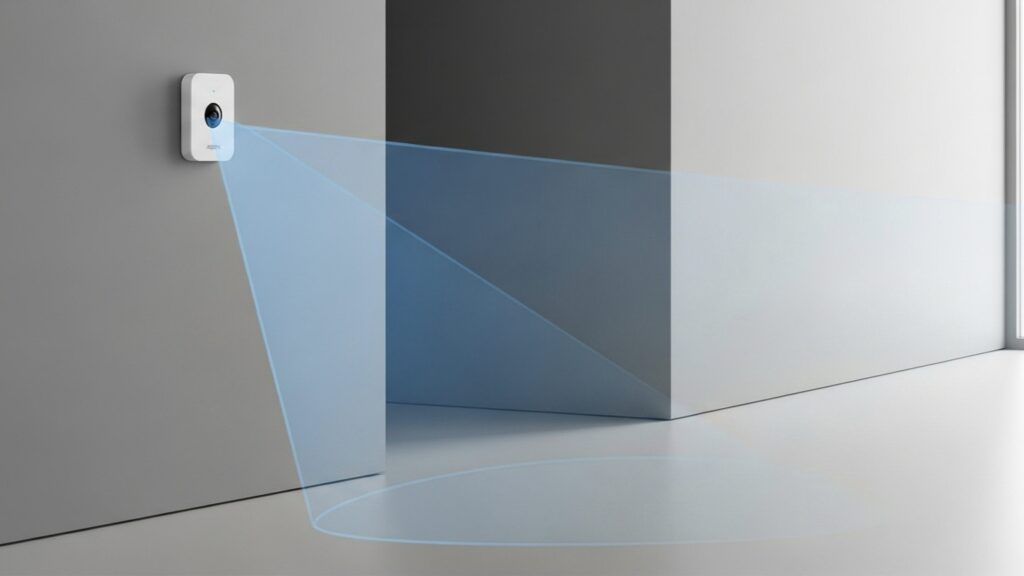
Out of the box, the Aqara P1 is deceptively simple. It’s a small, minimalist white cylinder, about the size of a large cork. It comes with a versatile 360-degree stand that can be placed on a shelf or mounted to a wall or ceiling with the included adhesive pad. Its clean design allows it to blend into almost any decor without drawing attention.
The most important thing to understand, however, is not what it looks like, but how it communicates. The P1 is not a Wi-Fi sensor. It operates on the Zigbee 3.0 protocol. For a beginner, this means two critical things:
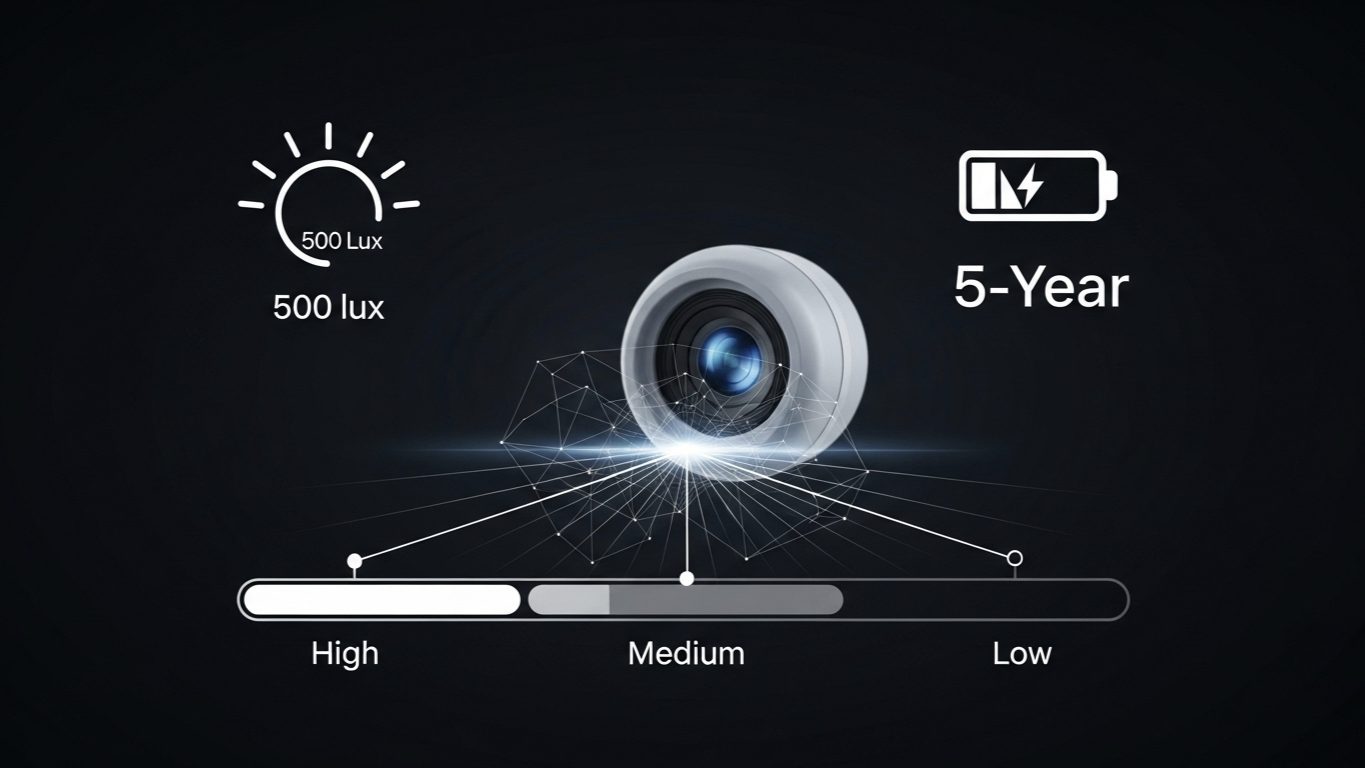
- The Pros: It’s incredibly fast and sips power. Because it doesn’t have to connect to your congested home Wi-Fi network, its response time is nearly instantaneous. This low-power protocol also allows it to achieve its headline-grabbing claim of a 5-year battery life from two small CR2450 coin batteries.
- The Catch: It absolutely requires a compatible Zigbee hub to function. It cannot connect directly to your router. This is a vital piece of information that I make sure all my clients understand before purchasing.
The build quality is solid, and its unassuming appearance belies the powerful technology packed inside.
The “P1” Difference: The Features That Make It a Pro-Level Tool
So, what makes this sensor so special compared to the countless other motion sensors on the market? The magic lies in the user-configurable settings, which are accessible when paired with a compatible Aqara hub. These features elevate the P1 from a simple trigger to a precision instrument for automation.
1. Adjustable Timeout Period (The Game-Changer)
This single feature is, in my professional opinion, what makes the P1 a legend in the smart home community. A sensor’s “timeout” (or “cooldown”) period is the amount of time it waits after it stops detecting motion before it can report “no motion” and be triggered again. Most basic sensors have this hard-coded to 60 seconds or more. This is why, with a cheap sensor, the lights in a room can turn off while you’re still in there, sitting relatively still.
The Aqara P1 allows you to adjust this timeout period anywhere from 1 to 200 seconds via the app. Setting it to a low value (e.g., 5 seconds) is perfect for a hallway where you want the light to turn off quickly after you pass through. Setting it to a high value (e.g., 180 seconds) is ideal for a living room or bathroom, ensuring the lights don’t turn off prematurely. This level of granular control is unprecedented at this price point.
2. Adjustable Sensitivity (Low, Medium, High)
Another powerful feature is the ability to configure the detection sensitivity. If you find that a pet is constantly triggering the sensor in a hallway, you can set the sensitivity to “Low” to reduce these false alarms. Conversely, if you’re using it in a large room and need to detect subtle movement from far away, setting it to “High” ensures it will pick up even the slightest motion. This customization helps you fine-tune the sensor’s performance to its specific environment.
3. The Impressive Battery Life and Zigbee 3.0
While the 5-year battery life claim is based on ideal conditions, it’s not just marketing fluff. Thanks to the efficiency of the Zigbee 3.0 protocol, achieving 2-3 years of battery life under heavy use is a realistic expectation. For a “set it and forget it” device, this is a massive convenience, meaning you won’t be climbing ladders to change batteries every few months. Zigbee 3.0 also improves mesh network reliability and compatibility, making it a solid, future-proof choice.
Perfecting the “Smart Bathroom” Automation
A common smart home challenge I’m asked to solve is automating a bathroom. Clients want the lights and extractor fan to turn on when they enter, but they face two classic problems: the lights turn off while they’re in the shower (where there’s little movement), and the fan doesn’t run long enough to properly clear the steam.
The Aqara P1 solves both problems elegantly.
The Solution:
- For the Lights: I placed a P1 sensor on a high shelf, pointing away from the direct shower spray. In the Aqara app, I set the sensor’s timeout period to 180 seconds (3 minutes). Now, when a client enters, the lights turn on instantly. Because of the long timeout, the sensor won’t report “no motion” during the short, still periods of a shower, and the lights stay on reliably until they’ve been gone for several minutes.
- For the Extractor Fan: I created a linked automation. “WHEN motion is detected by the P1, turn on the fan. WHEN the P1 has been clear of motion for 3 minutes, wait an additional 10 minutes, THEN turn off the fan.”
This setup, which is only possible because of the P1’s adjustable timeout, creates a truly intelligent bathroom. It reacts instantly, anticipates the user’s needs (keeping lights on during a shower), and performs its function (running the fan) for the appropriate amount of time. It’s a perfect example of how the P1’s pro-level features solve real-world automation frustrations.
Is the Aqara P1 *Really* the Best?
This is the question in the title, and the answer requires a bit of nuance. It depends entirely on what you’re trying to achieve.
When the P1 IS the Best Choice:
- For Lighting Automation: Absolutely. For turning lights on and off based on room occupancy, its combination of speed and adjustable timeout is unmatched by any other sensor in its price class.
- For Fast-Trigger Automations: If you need an automation to run the instant motion is detected (e.g., a security alert or turning on a camera), the P1’s Zigbee-based speed is superior to slower Wi-Fi alternatives.
- If You Value Battery Life: If you want to deploy sensors in hard-to-reach places and not worry about them for years, the P1 is a top contender.
- If You’re Building a Zigbee Home: If you’re already committed to the Zigbee ecosystem with an Aqara, SmartThings, or Home Assistant hub, adding these sensors is a no-brainer.
When Another Sensor Might Be Better:
- If You Refuse to Use a Hub: If you are strictly building a Wi-Fi-only home and have no plans for a hub, the P1 simply won’t work for you. You’ll need to look at Wi-Fi motion sensors, but be prepared for shorter battery life and slightly slower responses.
- If You Need True “Presence” Detection: The P1 is a motion sensor. It detects movement. If your goal is to automate a home office where you might sit still reading or typing for 30 minutes, the P1 will eventually think you’ve left. For this scenario, a more advanced (and expensive) mmWave “presence” sensor, like Aqara’s own FP2, is the correct tool for the job.
My Verdict: The Aqara P1 is not just a motion sensor; it’s an automation engine. For its price, there is no other motion sensor on the market that offers this level of speed, reliability, and granular control. It is, in my professional opinion, the best value and most versatile motion sensor available today, provided you are willing to operate within a Zigbee hub ecosystem.
Conclusion: A Small Device with a Huge Impact
After months of rigorous testing, the Aqara Motion Sensor P1 has earned a permanent place in my toolkit of recommended devices. It’s a testament to good engineering, focusing on the features that matter most to creating a responsive and reliable smart home. While the requirement of a hub means it isn’t a drop-in solution for absolute beginners, it represents the logical next step for anyone looking to move beyond simple smart gadgets into the world of true, intelligent automation.
If you’re serious about making your home react to you, the P1 is an affordable, powerful, and essential component that delivers a performance that far exceeds its modest price tag.