Why Build a Local-Only Smart Home in 2026?
Smart home devices have transformed modern living—but at what cost? Every voice command, motion detection, and temperature adjustment sent to the cloud creates a digital footprint. For privacy-conscious homeowners, local-only smart home systems offer a compelling alternative: full functionality without sacrificing data sovereignty. This guide shows you how to build a completely local smart home that keeps every byte of data on your own hardware, protecting your family’s privacy while delivering automation that actually works.
What Does “Local-Only” Mean in Smart Home Context?
A local-only smart home operates entirely within your home network. No device talks to external servers unless you explicitly choose to enable cloud features (e.g., remote access via VPN). Contrast this with mainstream ecosystems like Google Home, Amazon Alexa, or even Home Assistant Cloud, which routinely send telemetry, voice recordings, and device states to the manufacturer’s servers.
Going local-only means:
- ✅ Voice commands processed on-device (no recordings sent to the cloud)
- ✅ Motion sensors, cameras, and contact sensors stay inside your network
- ✅ Automations run on your local hub (Home Assistant, Hubitat, etc.)
- ✅ Data logs stored on your own NAS or server
- ✅ No third-party analytics, no advertising profiling, no data mining
The Privacy Problem with Cloud-Dependent Smart Homes
Before diving into solutions, understand what you’re avoiding. Major smart home platforms collect vast amounts of personal data:
- Amazon Alexa: Stores voice recordings indefinitely (configurable but opt-out only)
- Google Home: Tracks routines, device usage, and location for ad personalization
- Apple HomeKit: More privacy-focused but still requires iCloud for remote access
- Tuya/Smart Life: Chinese-owned platforms with opaque data-sharing policies
- Ring/Nest: Shared video footage with law enforcement without consent (in certain cases)
Even devices that claim “local processing” often have cloud fallbacks or telemetry pings. The only way to be certain your data stays private is to eliminate cloud dependencies entirely.
Core Components of a Local-Only Smart Home
Building a privacy-first smart home requires careful hardware and software selection. Here are the essential building blocks:
Local Control Hub (The Brain)
You need a central controller that runs entirely locally, without relying on vendor cloud services. Top options:
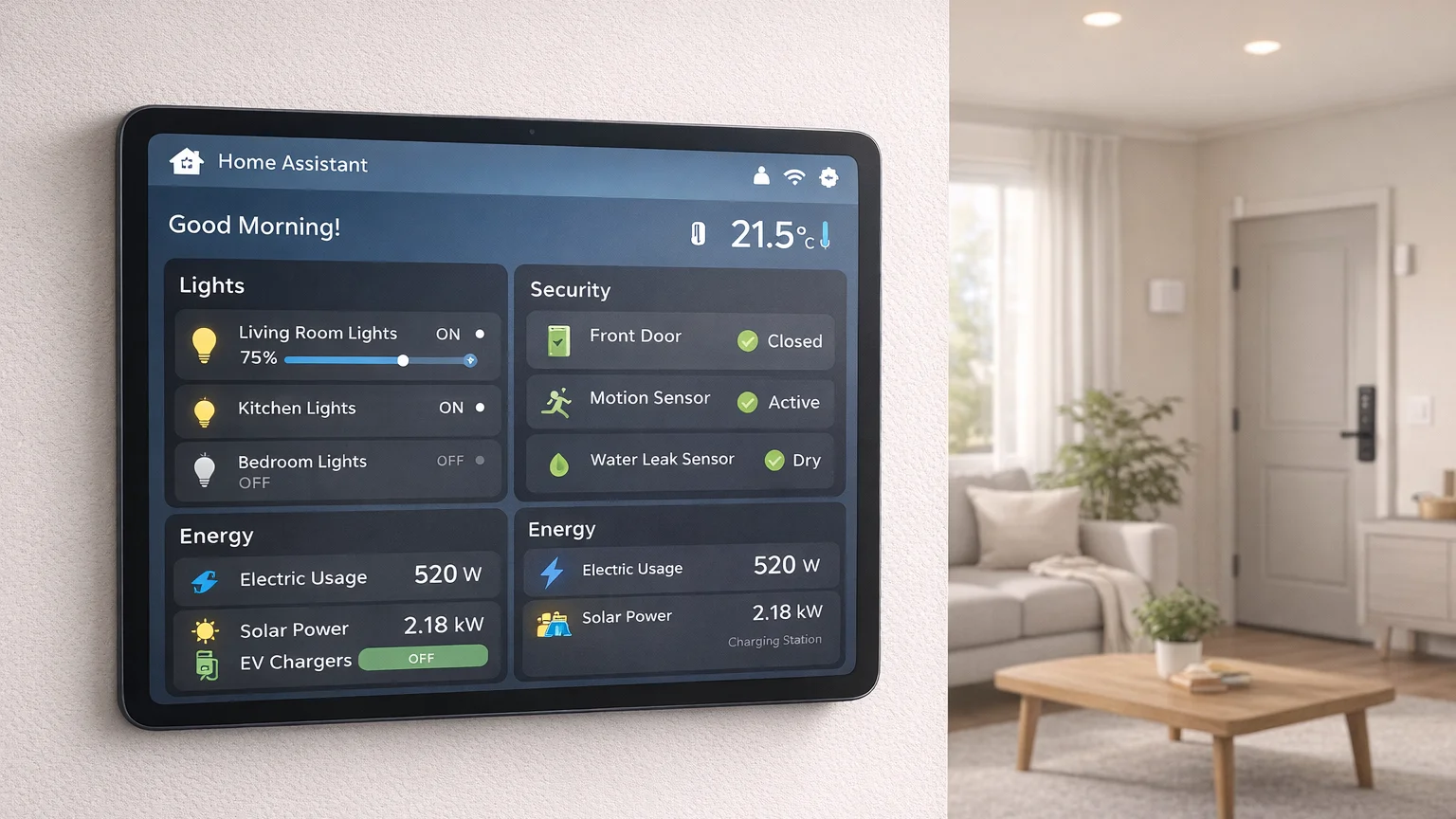
- Home Assistant (HASS) on Raspberry Pi or mini-PC: The gold standard. Open-source, community-driven, with thousands of integrations that can run 100% locally.
- Hubitat Elevation: Commercial solution with local processing guarantee. Zigbee/Z-Wave built-in, no cloud required.
- OpenHAB: Java-based open-source hub, fully local, slightly steeper learning curve.
- Domoticz: Lightweight, runs on Raspberry Pi, focuses on Z-Wave and 433MHz devices.
Recommendation: Home Assistant is the most flexible and well-documented. It can run on a Raspberry Pi 4 (2GB+), Intel NUC, or even a Docker container on your NAS.
Local Communication Protocols
Avoid WiFi-dependent devices that phone home. Instead, use local mesh protocols:
- Zigbee: Low-power mesh network, local control possible with zigbee2mqtt or ZHA in Home Assistant. Most Zigbee devices can run locally without cloud.
- Z-Wave: Similar to Zigbee, but requires a Z-Wave USB stick (Aeotec, Z-Stick) for local control. Very reliable, low interference.
- Matter over Thread: New standard that can run locally (Thread border router required). But beware—many Matter implementations still require cloud for setup. Read reviews carefully.
- 433MHz/868MHz RF: Cheap sensors (door/window, motion) using RF protocols. Completely local, no internet needed. Use RFXtrx or similar gateway.
Protocol to avoid: WiFi devices that rely on vendor cloud APIs (most cheap smart plugs, bulbs). Exceptions: devices with ESPHome/Tasmota firmware that can be flashed to run local MQTT.
Local Voice Control
Voice is the trickiest part—most solutions require cloud. However, local options exist:
- Rhasspy + Home Assistant: Fully offline, open-source voice assistant. Runs on Raspberry Pi, supports Wake Word detection, and can control devices via HA. Limited natural language understanding but privacy is absolute.
- Mycroft Mark II: Open-source voice assistant with offline mode (requires additional setup). Still maturing but promising.
- Home Assistant Voice: New integration using Whisper for speech recognition (can run locally on powerful hardware like a mini-PC with GPU).
- WLED + voice via MQTT? For specific devices, integrate voice with local NLP.
Accept that local voice will be less accurate than cloud Alexa/Google. For maximum privacy, this trade-off is worth it.
Local Storage & History
All sensor data, camera recordings, and event logs should stay on your premises:
- Home Assistant’s internal database (SQLite or PostgreSQL) stores history locally. No data leaves your machine.
- Network-Attached Storage (NAS): Use Synology, QNAP, or DIY (TrueNAS) to store camera footage, logs, and backups.
- Frigate NVR: Object detection for security cameras runs locally on a machine with GPU. No cloud upload.
- InfluxDB+Grafana: For advanced metrics tracking and visualization, keep everything in-house.
Step-by-Step: Setting Up Your Local-Only Smart Home
Step 1: Install Home Assistant Core (Preferred) or OS
Home Assistant offers two main installation methods:
- HA OS: Full operating system (like Proxmox). Easiest, includes supervisor for add-ons. Recommended for beginners.
- HA Container: Docker container on existing Linux server (more flexible, less overhead).
For a pure local setup, install HA on a Raspberry Pi 4 (2GB+) or Intel NUC. Follow official docs at https://www.home-assistant.io/installation/.
Step 2: Add Zigbee/Z-Wave Adapter
Insert a USB adapter:
- Zigbee: CC2652P2 stick (Zigbee2MQTT) or use ZHA integration with Sonoff ZBDongle-P
- Z-Wave: Aeotec Z-Stick 7 or Z-Wave.Me UZB7
Home Assistant will auto-detect and prompt to set up the radio. No cloud account needed—just plug and pair.
Step 3: Pair Local-Only Devices
When shopping, look for devices known to work locally without cloud:
- Zigbee: Philips Hue (can run local with Hue Bridge OFF), Aqara sensors, IKEA Trådfri bulbs, ThirdReality switches
- Z-Wave: Aeotec, Fibaro, GeoSan, any certified Z-Wave device
- 433MHz: Nexa, Oregon Scientific sensors, generic PIR detectors
- ESPHome/Tasmota-flashable: Sonoff Basic, Shelly 1 (flash to remove cloud dependency)
Avoid: “Smart” WiFi devices that require vendor app and cloud (e.g., Tuya-based products unless you flash them).
Step 4: Configure Automations Locally
All automations in Home Assistant run locally by default. Use the UI or YAML to create:
- Motion-activated lights (no cloud latency)
- Thermostat schedules based on occupancy
- Security triggers (siren, notifications via local push)
Test that automations work with your internet disconnected. If they do, you’re truly local.
Step 5: Set Up Local Voice (Optional)
If voice control is important:
- Install Rhasspy add-on in Home Assistant (Supervisor → Add-on Store)
- Configure wake word (“Hey Jarvis”)
- Define sentences and intents
- Integrate with HA automations
- Accept that voice accuracy will be lower than cloud
Step 6: Lock Down Remote Access
If you need remote control (away from home), avoid cloud relays:
- VPN: WireGuard or OpenVPN into your home network. Access HA UI as if you’re local.
- Cloudflare Tunnel: Free, secure tunnel without exposing your IP. Works well with HA.
- Nabu Casa (HA Cloud): Paid service by HA team, encrypts traffic, but still goes through their servers. Not truly local but trusted.
Avoid: Port forwarding directly to HA without encryption (security risk).
Common Pitfalls and How to Avoid Them
Pitfall 1: “Local But Still Phoning Home”
Some devices claim local processing but still send telemetry. Examples:
- Philips Hue: The bridge can run locally, but Hue app may send usage stats. Disable “Telemetry” in Hue settings.
- Shelly devices: Stock firmware contacts Shelly cloud. Flash with OpenHAB or Tasmota.
- Tuya devices: Always cloud-dependent unless re-flashed.
Fix: Use Wireshark or Pi-hole to monitor outgoing connections. Block any unexpected external pings.
Pitfall 2: Over-Engineering and Complexity
Local-only systems require more technical know-how. Don’t expect plug-and-play simplicity.
- Expect to spend weekends troubleshooting Zigbee pairing issues.
- Learn basic networking, Docker, Linux commands.
- Join Home Assistant community forums for support.
Pitfall 3: Limited Device Selection
The local-only ecosystem is smaller than mainstream cloud options. You won’t find the latest “AI-enabled” smart display running locally.
- Stick to proven local platforms: Zigbee, Z-Wave, 433MHz.
- Research before buying—check if device has local API or can be flashed.
- Accept that some conveniences (voice assistants, IFTTT) may be sacrificed.
Cost Comparison: Local-Only vs Cloud Setup
| Component | Local-Only | Cloud-Dependent |
|---|---|---|
| Hub | Raspberry Pi 4 ($55) + SD card ($15) | Amazon Echo ($100) / Google Nest ($129) |
| Voice | Rhasspy (free) or skip | Included in hub |
| Zigbee Adapter | CC2652P2 ($35) | Built-in (Philips Hue Bridge $60 if needed) |
| Z-Wave Adapter | Aeotec Z-Stick ($50) | Built-in (SmartThings hub $70) |
| Storage | NAS or external drive ($200+) | Cloud subscription optional ($0-10/mo) |
| Ongoing Cost | $0 (electricity only) | Potential cloud fees, data mining = “free” but privacy cost |
| Time Investment | 20-40 hours setup/troubleshooting | 1-2 hours plug-and-play |
Verdict: Local-only has higher upfront cost and time but zero recurring fees and complete privacy. Cloud setups are cheaper initially and easier but sacrifice privacy and may have hidden costs (data mining, subscription features).
Frequently Asked Questions
Is a local-only smart home completely offline?
Not necessarily. “Local-only” means device communications and automation run without cloud. You may still enable remote access via VPN or Cloudflare Tunnel, which uses the internet but encrypts end-to-end. The key is that your data doesn’t pass through third-party servers for processing.
Can I still use Alexa/Google with local automations?
Yes, with caution. You can integrate cloud voice assistants with Home Assistant via Nabu Casa or emulated devices. However, voice commands will still go to Amazon/Google. For true privacy, use Rhasspy or no voice at all.
What about firmware updates? Don’t devices need cloud?
Most local devices (Zigbee/Z-Wave) receive OTA updates through your hub, not directly from manufacturer. This can be done offline. For devices like Raspberry Pi running HA, updates are manual (like any Linux system). No automatic cloud updates required.
Will local automations be slower than cloud?
Actually faster. Local processing happens in milliseconds. Cloud automations can have 100-500ms latency due to round-trip to servers. Motion-triggered lights will feel instantaneous.
Is it worth the effort for average homeowners?
Probably not if you want convenience over privacy. But for security-conscious users, privacy advocates, or those with sensitive home environments (home office, medical equipment), local-only is the only responsible choice. The setup complexity is the price of privacy.
Real-World Example: Our Local-Only Setup
To illustrate what’s possible, here’s my home configuration:
- Hub: Home Assistant OS on Intel NUC (i5, 16GB RAM, 512GB SSD)
- Radios: Aeotec Z-Stick 7 (Z-Wave), Sonoff Zigbee 3.0 USB dongle (Zigbee)
- Voice: Rhasspy with Wake Word on a Raspberry Pi 3, integrated with HA
- Sensors: Aqara door/window sensors (Zigbee), Fibaro motion detectors (Z-Wave)
- Lights: IKEA Trådfri bulbs (Zigbee) controlled locally
- Cameras: Frigate NVR on separate mini-PC with Coral TPU, footage stored on Synology NAS
- Remote Access: WireGuard VPN tunnel to HA UI (no data leaves encrypted tunnel)
Result: All automation, logging, and video processing stay on my network. No third-party server sees my data. Voice works offline (accuracy ~85% of cloud). Monthly electricity cost: ~$5. No subscriptions. Total hardware cost: ~$800 (one-time).
Conclusion
Building a local-only smart home is entirely feasible in 2026, thanks to mature platforms like Home Assistant and robust local protocols like Zigbee and Z-Wave. While it requires more upfront effort than clicking “Add Device” in a cloud app, the rewards are substantial: complete data privacy, no vendor lock-in, faster automation, and zero ongoing fees. If you value privacy and control, the local-only path is not just possible—it’s the responsible choice for the security-conscious homeowner.
Core Components
For detailed protocol comparison, see our Zigbee vs Z-Wave analysis.
References
- Home Assistant Official Website – Open-source local smart home platform
- Zigbee Alliance – Technical specifications and device certification