As a Smart Home Integrator, I spend my weekdays designing and programming complex, high-end systems for my clients. But the real fun—the place where I get to experiment and truly geek out—is in my own home. My family and I are huge movie fans, and for a long time, our “movie night” setup was a clunky, multi-step process: find the TV remote, find the soundbar remote, get up to dim three different lights, and make sure the back door was locked. It was functional, but it lacked… magic.
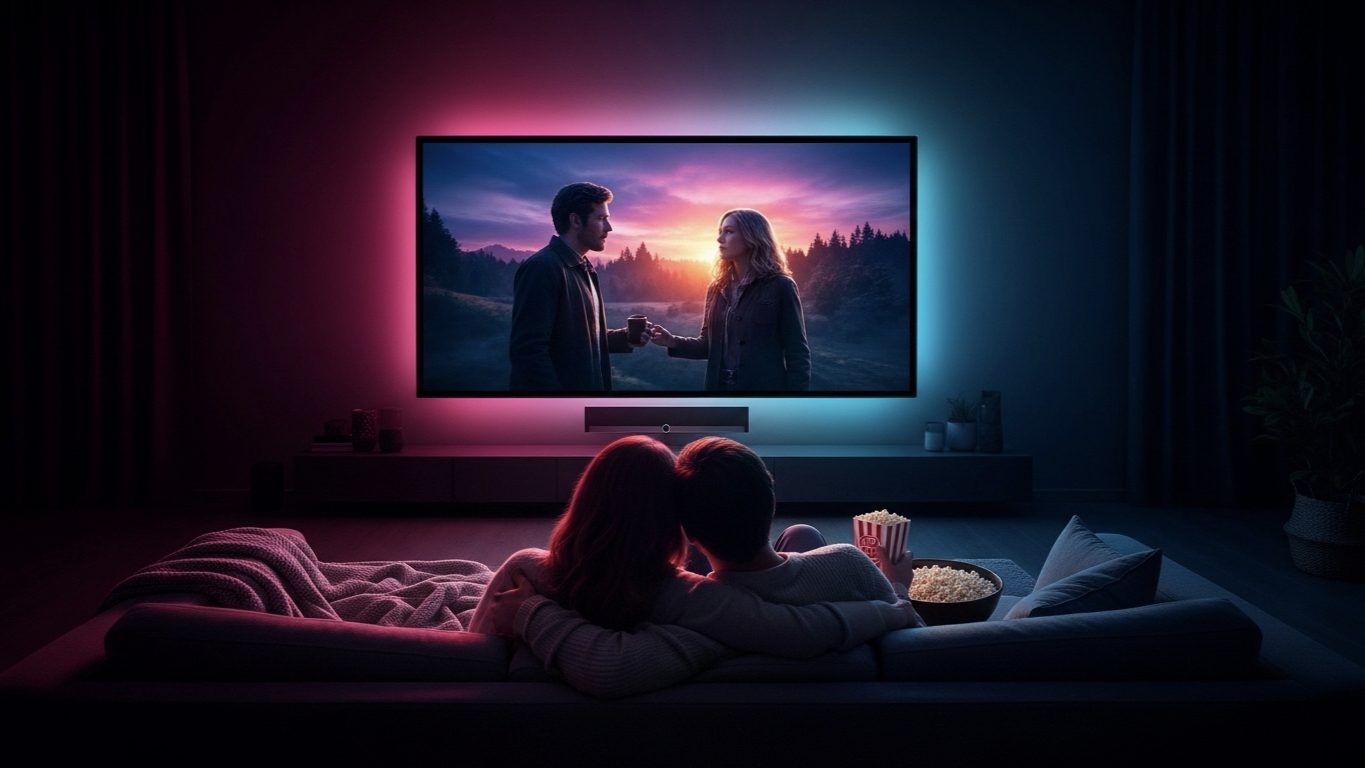
So, I decided to dedicate a weekend to a single project: to create the ultimate, one-touch “Movie Night” scene. The goal was to transform our ordinary living room into an immersive home theater with a single voice command. I wanted to automate not just the electronics, but the entire atmosphere.
In this article, I’m going to walk you through my exact thought process, the gear I used, and the step-by-step routine I built using Amazon Alexa. This is a perfect weekend project that delivers an incredibly high “wow factor” for a surprisingly modest investment.
The Goal: One Trigger, Many Actions
The core of any great smart home scene is the principle of “one-to-many.” I wanted one simple trigger—the phrase “Alexa, it’s movie time”—to set off a perfectly choreographed sequence of events. Here’s the wish list I started with:
- All main living room lights should dim to a specific color and brightness.
- The decorative lamp behind the TV (bias lighting) should turn on.
- The TV and soundbar should turn on.
- The smart blinds should close.
- My robot vacuum’s schedule should be paused to avoid interruptions.
- Alexa should confirm the scene is set.
This list became my project blueprint.
The Gear: My Smart Home “Cast and Crew”
To pull this off, I needed a few key pieces of smart home tech. Most of these are items many people already have, or can be acquired affordably.
-
- The Brain: An Amazon Echo Show. I use this as my central controller, though any Echo device would work.
- The Ambiance: Philips Hue color bulbs in my main floor lamps. Hue is my go-to for lighting scenes because of its speed, reliability, and rich color saturation.
- The Bias Lighting: A simple LED light strip plugged into a TP-Link Kasa Smart Plug. Bias lighting (placing a light source behind your TV) reduces eye strain and improves perceived contrast.
- The A/V Control: This is the trickiest part for many. My TV is a modern smart TV that has a native Alexa skill, so I could control it directly. For older setups, a Broadlink IR Blaster is a fantastic, budget-friendly device that can learn your remote control’s signals and let you control any IR device with your voice.
- The Blackout Crew: Lutron Serena automated blinds. This is a luxury item, but you could achieve a similar effect by having a smart plug turn off a lamp in a room with standard blackout curtains.
–
- The “Quiet on the Set” Crew: A Roborock S7 Robot Vacuum, which has an Alexa skill that allows me to start, stop, and pause cleanings.
The “Script”: Building the Alexa Routine, Step-by-Step
With the cast in place, it was time to write the script—the Alexa Routine. I opened the Alexa app and built the sequence action by action. The order of operations is important for a smooth transition.
Trigger (The “Action!” command):
- When I say… “Alexa, it’s movie time.”
The Actions (The Scene):
- Set the mood first. The first action is always the lighting, as it has the biggest immediate impact.
- Philips Hue: I set my “Living Room Lights” group to a deep, cinematic blue and dropped the brightness to 10%.
- Power on the supporting cast. Next, I turn on the accent lighting.
- Kasa Smart Plug: Turn on the “Bias Lighting” plug.
- Bring in the main star. Now, turn on the Audio/Visual equipment.
- Smart TV Skill: Turn on the Living Room TV. (Note: Many TV skills only allow you to turn the TV *off*, so check your TV’s specific skill capabilities. The IR blaster is a more reliable method for turning things *on*.)
- Prepare the “set.” Close the blinds for the full theater experience.
- Lutron Serena: I set my “Living Room Blinds” to 0% open (fully closed).
- (Crucial Pro Tip) Add a delay. I added a Wait action of 3 seconds here. This gives the TV and soundbar a moment to fully power on before the final steps.
- Silence the interruptions.
- Roborock Skill: I used the custom command action to type “ask Roborock to pause the cleaning.”
- The director’s confirmation. Finally, I have Alexa confirm that everything is ready.
- Alexa Says: I added a custom phrase: “Okay. The theater is ready. Enjoy the show.”
The “Cut!” Scene: An Exit Routine is Just as Important
A great movie experience also needs a great ending. I created a second, simpler routine called “Alexa, turn off the theater.” This routine does the reverse:
- Turns off the TV and the Bias Lighting plug.
- Sets the Living Room lights to a soft, warm white at 30% brightness.
- Opens the blinds.
- Resumes the robot vacuum’s cleaning schedule.
The Premiere: The Final Result
The result was even better than I had hoped. The feeling of walking into the living room and transforming the entire space with a single, simple phrase is genuinely magical. The transition is smooth, the lighting is perfect, and it completely removes the usual 5-minute fumbling process for remotes and switches.
What I love most about this project is its scalability. Don’t have smart blinds? Leave that step out. Don’t have color bulbs? Just have your smart switch dim the main lights. The core of the project—automating your lights and A/V with one command—is achievable for almost anyone with a smart speaker.
My Final Verdict: The Best Kind of Weekend Project
This project is the perfect embodiment of what a smart home should be. It’s not about complex technology for its own sake. It’s about using simple, accessible tools to remove friction from your daily life and add a little bit of convenience, comfort, and magic.
If you’re a movie lover looking for a fun and incredibly rewarding weekend project, I can’t recommend this enough. It will fundamentally change how you enjoy entertainment in your home.