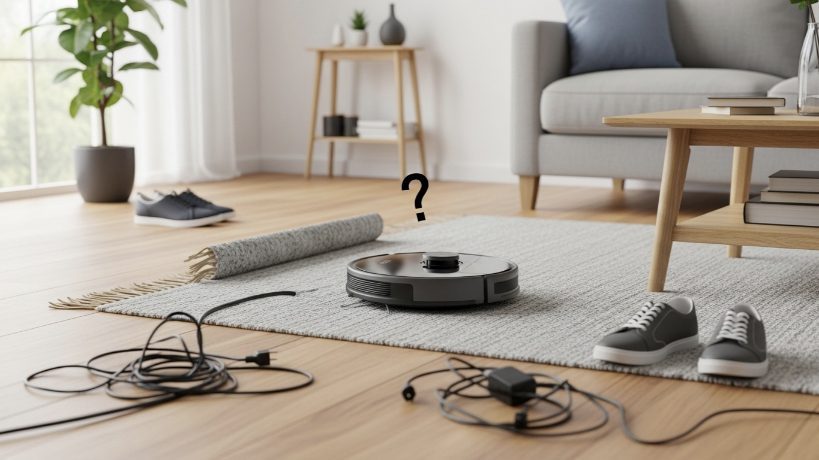
A robot vacuum is often one of the first smart devices people welcome into their homes. As an integrator, I can tell you it’s one of the most beloved. It promises to take over a tedious chore, and when it works, it feels like living in the future. But when it doesn’t work—when you come home to find it pathetically beached under a couch or hear the dreaded “Error 7: Main brush is stuck”—that futuristic dream can quickly become a frustrating reality.
For years, I’ve helped clients troubleshoot and optimize their robot vacuums, from basic “bumper” bots to high-end LiDAR-mapping models. And I’ve learned a critical lesson: most robot vacuum “failures” aren’t a problem with the robot itself. They’re a problem with the environment. The robot isn’t dumb; your home just hasn’t been properly “robot-proofed.”
In this guide, I’ll walk you through the most common robot vacuum problems I encounter and provide the practical, proven solutions I use to solve them. Think of this as training your home to be the perfect partner for its robotic helper.
Problem #1: Getting Stuck Under Furniture
This is the most frequent complaint. The robot ventures under a sofa, a bed frame, or a low-clearance cabinet, and the space is just tall enough for it to get in but not quite tall enough for its sensors (especially the raised LiDAR turret on high-end models) to get out. It becomes hopelessly wedged.
The Pro Solution: Create Physical and Digital Barriers.
- Physical Solution (The “No-Fly Zone”): The simplest fix is to physically block the area. You can buy inexpensive furniture risers to lift your couch by an extra inch, giving the robot ample clearance. For a less visible solution, a thin piece of wood or a pool noodle cut to size and placed just under the edge of the furniture can create an invisible bumper the robot will hit and turn away from.
- Digital Solution (The “Keep-Out Zone”): If you have a robot with smart mapping (like modern Roombas, Roborocks, or Sharks), this is the elegant solution. After the robot completes its initial mapping run, go into the app. Find the “Map” section and look for an option to add a “No-Go Zone” or “Keep-Out Zone.” Draw a red box on the map directly over the problem furniture. The robot will now see that area as a virtual wall and will never try to enter it again.
Problem #2: Getting Tangled in Cables and Cords
Cables are the natural enemy of every robot vacuum. A stray phone charger cord, the power cord for a floor lamp, or a nest of cables behind your TV stand can wrap around the robot’s brushes, bringing it to a grinding halt.
The Pro Solution: Meticulous Cable Management.
You have to treat this like a baby-proofing exercise. Get down on your hands and knees and see your floor from the robot’s perspective.
- Bundle loose cables together with velcro straps or zip ties.
- Use adhesive cable clips to run cords along the back of furniture or baseboards, keeping them off the floor.
- For power strips, consider a cable management box. This is a simple plastic box that hides the entire strip and all the messy cords, with just a single cable exiting either end.
- Before you run the robot, do a quick 30-second “floor sweep” to pick up any temporary charging cables that have been left out. This one habit solves most entanglement issues.
Problem #3: The “Rug Tassel” or “Shag Carpet” Trap
High-pile shag carpets and rugs with long, stringy tassels are a nightmare for robot vacuums. The main brush roller gets tangled in the long fibers, triggering an error and stopping the cleaning cycle.
Case Study: The Persian Rug Predicament
A client had a beautiful, expensive Persian rug in their living room with long, decorative tassels on the edges. Their new, high-end Roborock vacuum would get tangled in the tassels every single time it tried to clean the room. They were ready to return the robot.
The Problem: The robot’s powerful, spinning brush couldn’t distinguish between carpet fiber and a tangle-prone tassel.
The Solution: We didn’t need to get rid of the rug or the robot. We used the app’s smarts.
- We let the robot do one clean of the room with the rug temporarily rolled up, allowing it to create a perfect map of the floor underneath.
- Once the map was saved, we went into the app and drew a “No-Go Zone” that was just a few inches wide but ran the entire length of the two tasseled edges of the rug.
- We also drew a “No-Mop Zone” over the entire rug so that when they used the mopping feature, it would smartly avoid getting the rug wet.
The Result: The robot now cleans the entire living room perfectly. It approaches the Persian rug, cleans the main body of it, but intelligently navigates around the edges, never touching the tassels. The client got to keep their prized rug and their robotic helper. This shows how granular mapping features can solve very specific environmental challenges.
Problem #4: Getting Lost or Not Returning to the Dock
Sometimes a robot will finish its job but then wander aimlessly, unable to find its way back to the charging base. This is often an issue with the dock’s placement.
The Pro Solution: Optimize the Dock’s Location.
- Give It Space: The dock needs a clear “landing strip.” Most manufacturers recommend at least 1.5 feet of clear space on both the left and right sides of the dock, and at least 4-5 feet of clear space directly in front of it. The robot needs this space to see the dock’s infrared beacon and align itself properly.
- Avoid Clutter: Don’t place the dock in a cluttered corner behind a planter or next to a shoe rack. The robot’s sensors can get confused by nearby objects.
- Wipe Down the Sensors: Once a month, take a clean, dry microfiber cloth and gently wipe the robot’s navigation sensors and the shiny plastic window on the charging dock. Dust and grime can obscure the signals they use to find each other.
Problem #5: Not Cleaning an Entire Room or Area
You send the robot to clean the kitchen, but you notice it completely missed the area around the table. This is often caused by reflective or dark surfaces confusing the robot’s cliff sensors.
The Pro Solution: Address Problem Surfaces.
- Dark Rugs and Floors: Some robot vacuums have “cliff sensors” underneath them to prevent them from falling down stairs. On very dark black or patterned rugs, these sensors can mistake the dark color for a “cliff” and will refuse to drive over it. Unfortunately, the only fix for this is either replacing the rug or, in some apps, finding a setting to disable the cliff sensors (use with extreme caution if you have stairs!).
- Reflective Surfaces: Highly polished chrome furniture legs or full-length mirrors that go all the way to the floor can sometimes confuse a robot’s LiDAR or camera sensors, making it think there’s an obstacle where there isn’t one. If you notice it avoiding a specific area for no reason, check for reflective surfaces. Sometimes, a bit of matte tape on a chrome leg is all it takes.
My Final Verdict: A Partnership Between Human and Machine
A robot vacuum is not a “set it and forget it” appliance, at least not at first. It’s a partner. Your job is to prepare its work environment for success. By taking an hour to implement these “robot-proofing” strategies—managing your cables, setting up No-Go Zones, and optimizing the dock’s location—you will solve the vast majority of common problems.
Once you do, you’ll be rewarded with what you wanted all along: a reliable, autonomous cleaner that truly does feel like living in the future.